What Are Rich Pins on Pinterest? (And Do You Actually Need Them for Blog Traffic in 2026?)
What are Rich Pins on Pinterest and do you really need them? Learn how Rich Pins work today, who they’re actually for, and how they support evergreen blog traffic and affiliate marketing.

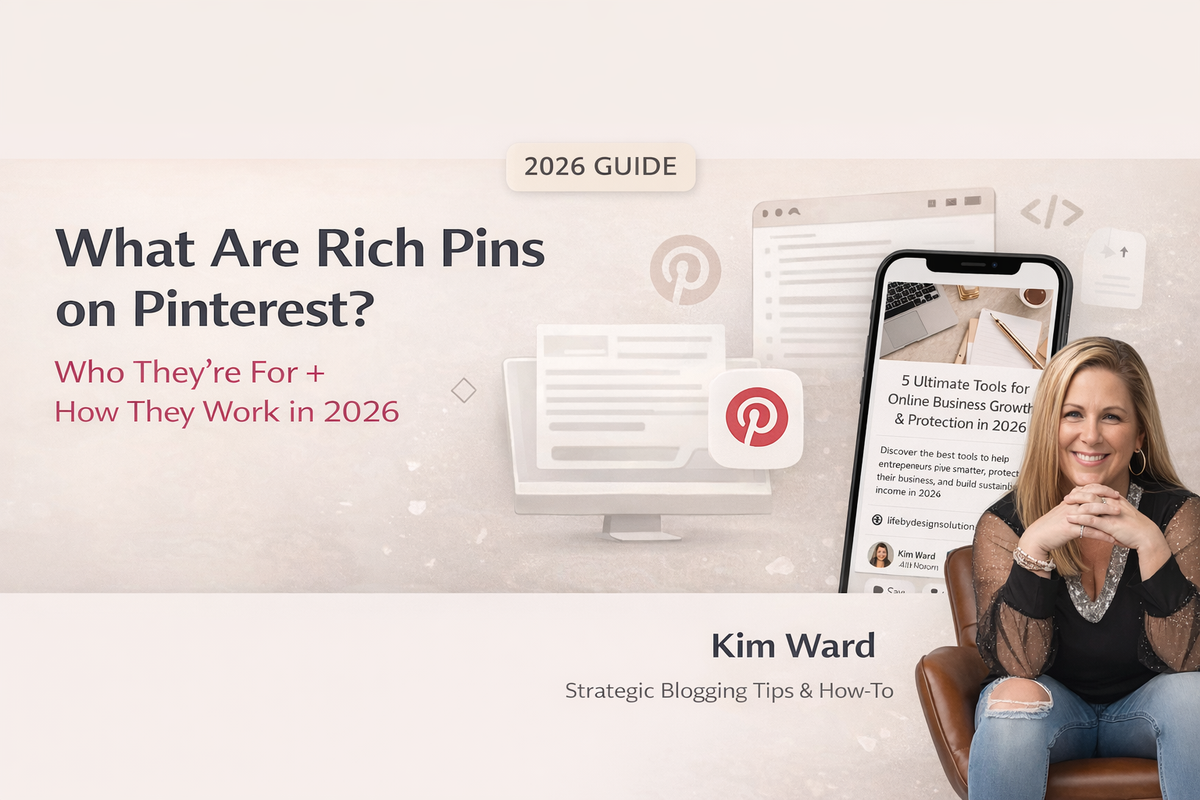
If you’ve heard that you “need Rich Pins” but no one explains what they actually do, you’re not alone. In this guide, I’m breaking down how Rich Pins work on Pinterest, who they’re truly designed for, and how they fit into a calm, evergreen blog strategy.
What Are Rich Pins on Pinterest and Who Are They For?
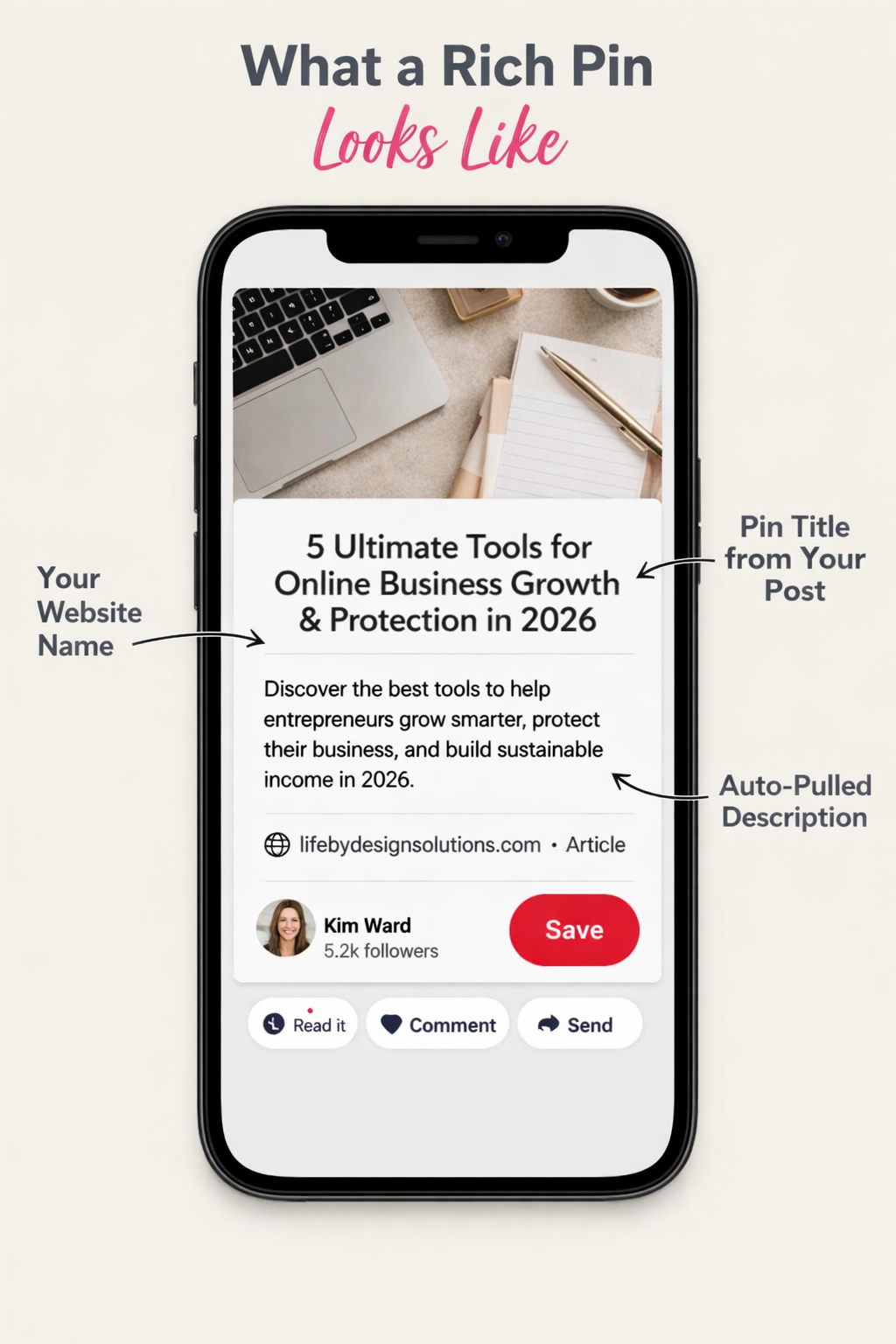
Rich Pins are Pinterest pins that automatically pull extra information directly from your website.
Instead of just showing an image and title, Pinterest reads your blog metadata and displays:
- Your article headline
- Your website name
- Your description
- Author or brand signals
Think of Rich Pins as Pinterest’s way of recognizing you as a real publisher, not just someone posting graphics.
And if you’re using Pinterest to drive traffic to a blog (like I teach inside my Pinterest strategy), that distinction matters.
👉 If you’re new to using Pinterest as a search engine, you may want to start here:
Pinterest Tutorial for Beginners 2026: How to Use Pinterest to Grow Faster This Year
How Rich Pins Work Behind the Scenes
This part sounds technical but stay with me.
Rich Pins use something called metadata.
Your blog already contains hidden information:
- Page titles
- Descriptions
- Structured SEO data
Pinterest reads that information and attaches it to your pin automatically.
This means when you update your article title or description later, your pins can update too without recreating graphics.
That’s powerful when you’re optimizing content for higher rankings and higher RPM.
The 3 Types of Pinterest Rich Pins Explained
Article Rich Pins
These are the most important for bloggers and content creators.
They show:
- Headline
- Description
- Website authority
If you’re publishing blog posts, podcast show notes, or long-form content this is the category you fall into.
Product Rich Pins
These are designed for ecommerce brands.
They pull:
- Pricing
- Availability
- Product data
Most affiliate marketers don’t need these because platforms like Amazon control product data themselves.
Recipe Rich Pins
Used by food creators.
They include:
- Ingredients
- Cook times
- Servings
Unless you’re running a food blog, you can safely ignore these.
Who Rich Pins Are Actually For
Rich Pins make the biggest impact if you:
- Run a blog
- Publish evergreen content
- Use Pinterest like a search engine
- Want long-term traffic instead of short bursts of engagement
In other words if your strategy includes blogging, SEO, or affiliate marketing through content… Rich Pins support that foundation.
They help Pinterest see your account as a content publisher, not just a social profile.
👉 Related read: Affiliate Marketing in 2026: What Actually Works Now
When Rich Pins Don’t Matter (And Why That’s Okay)
Here’s something most Pinterest tutorials won’t tell you:
Rich Pins aren’t magic.
They won’t:
- Instantly increase impressions
- Replace strong keywords
- Fix weak pin design
If someone is only posting Idea Pins or sending people directly to affiliate links, Rich Pins don’t add much value.
But when you’re building a blog-based ecosystem they quietly support growth in the background.
How Rich Pins Support Higher RPM Blog Traffic
Let’s talk about this from an RPM perspective because that’s where the real strategy lives.
Higher RPM comes from:
- Longer session duration
- More pages viewed
- Strong internal linking
- High-quality informational content
Rich Pins help by:
- Increasing trust signals
- Improving click quality
- Sending readers who are actually looking for answers
That means the traffic you get is often more intentional which can lead to:
- Better ad performance
- More affiliate clicks
- Higher revenue per thousand visitors
👉 If your goal is scaling your blog income, you might also enjoy:
Simple Self-Care Routines for Busy Women Who Do It All
RSS Feed vs Rich Pins
Your Ghost RSS Feed → Distribution
When you connect your RSS feed to Pinterest, you’re telling Pinterest:
“Automatically create pins when I publish new blog posts.”
So Pinterest will:
- Pull your post title
- Pull your featured image
- Create new pins automatically
This is purely an automation + publishing tool.
It does NOT control how Pinterest reads your site data structurally.
Rich Pins → Metadata & Authority
Rich Pins happen when Pinterest detects structured metadata (Open Graph / schema) on your website pages.
This tells Pinterest:
- What your article title is
- Your site name
- Your description
- Author signals
Rich Pins are about how Pinterest understands your content, not how pins get created.
Do You Need Rich Pins for Affiliate Marketing?
If you’re promoting affiliate products through blog content yes, they support your strategy.
But if you’re posting direct affiliate links without a website, they’re not essential.
Your biggest wins will still come from:
- Strong titles
- Query-rich headings
- Evergreen blog posts
- Strategic internal linking
Rich Pins simply help reinforce that structure.
Do You Still Need to Validate Rich Pins on Pinterest?
If you’ve seen tutorials telling you to use a “Rich Pin Validator,” you’re not imagining things that used to be part of the process.
But Pinterest has quietly moved away from manual validation.
Today, Rich Pins are created automatically when your website includes proper metadata (which most modern blogging platforms already provide).
That means you don’t need to apply or submit your site anymore.
Instead, you can check if Rich Pins are working by looking at one of your pins:
- Does your website name appear under the pin?
- Does the title match your blog post?
- Is Pinterest pulling your description automatically?
If so, your pins are already functioning like Article Rich Pins no extra setup required.
How to Check If Your Website Already Has Rich Pins
Here’s the part that surprises most creators:
Many blogging platforms, including my favorite, Ghost already include the metadata Pinterest needs.
That means you might already have Rich Pins enabled without realizing it.
If your pins automatically show your article title and site name… you’re likely set.
Common Rich Pin Mistakes (And Why They’re Usually Not Technical)
One of the biggest myths about Rich Pins is that they require complicated setup or special approval from Pinterest.
In reality, most issues come from simple misunderstandings not broken technology.
Here are a few things I see people worry about that usually aren’t problems at all.
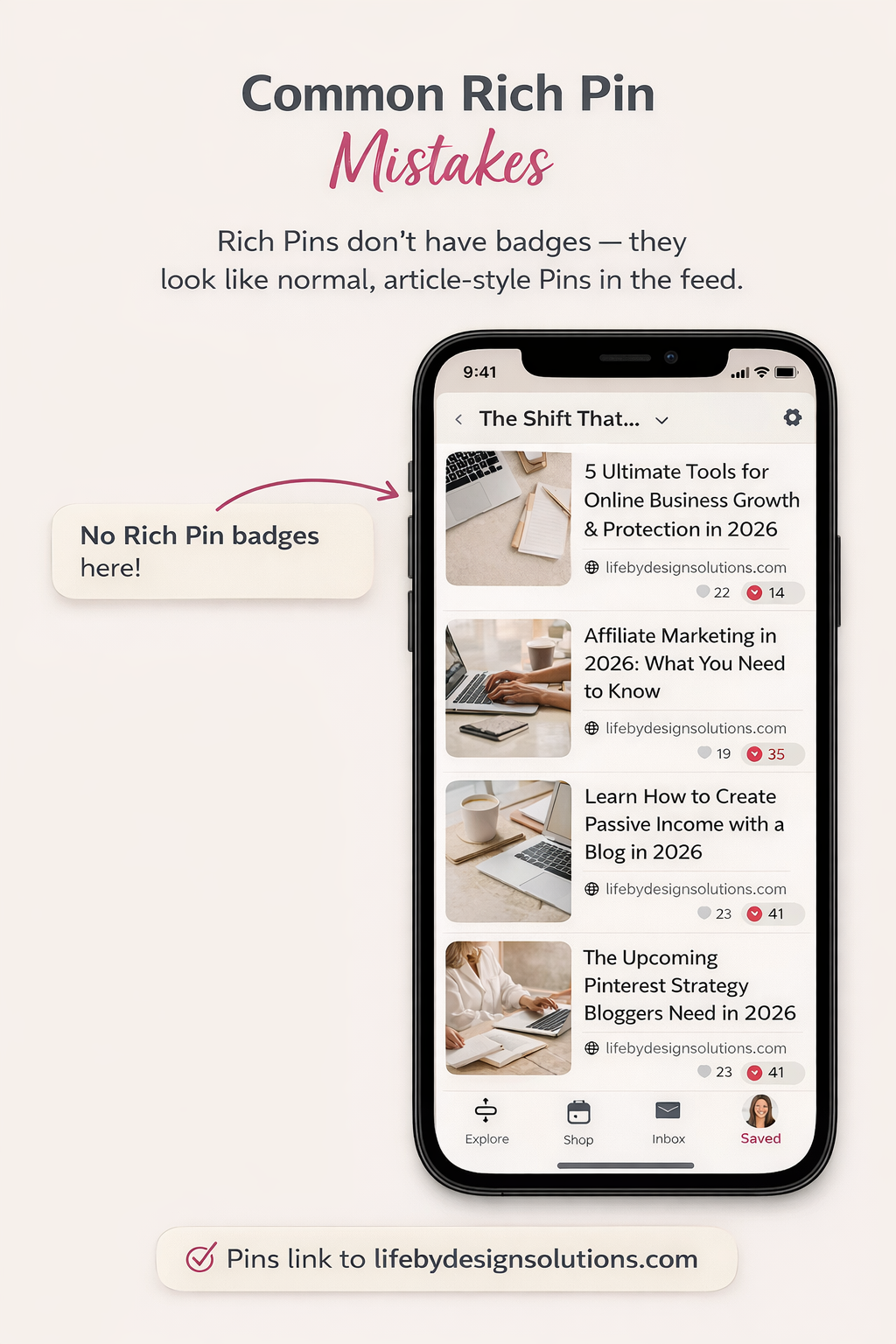
Expecting a “Rich Pin Badge”
Pinterest no longer shows a special Rich Pin label the way it used to. Many creators think their setup failed simply because they don’t see a badge. Today, Rich Pins look like normal pins they just pull structured information automatically from your website.
Trying to Use an Outdated Validator Tool
Older tutorials still mention validating Rich Pins manually. Pinterest has moved away from that process. If your blog includes proper metadata, Pinterest creates Article Rich Pins automatically when your content is saved.
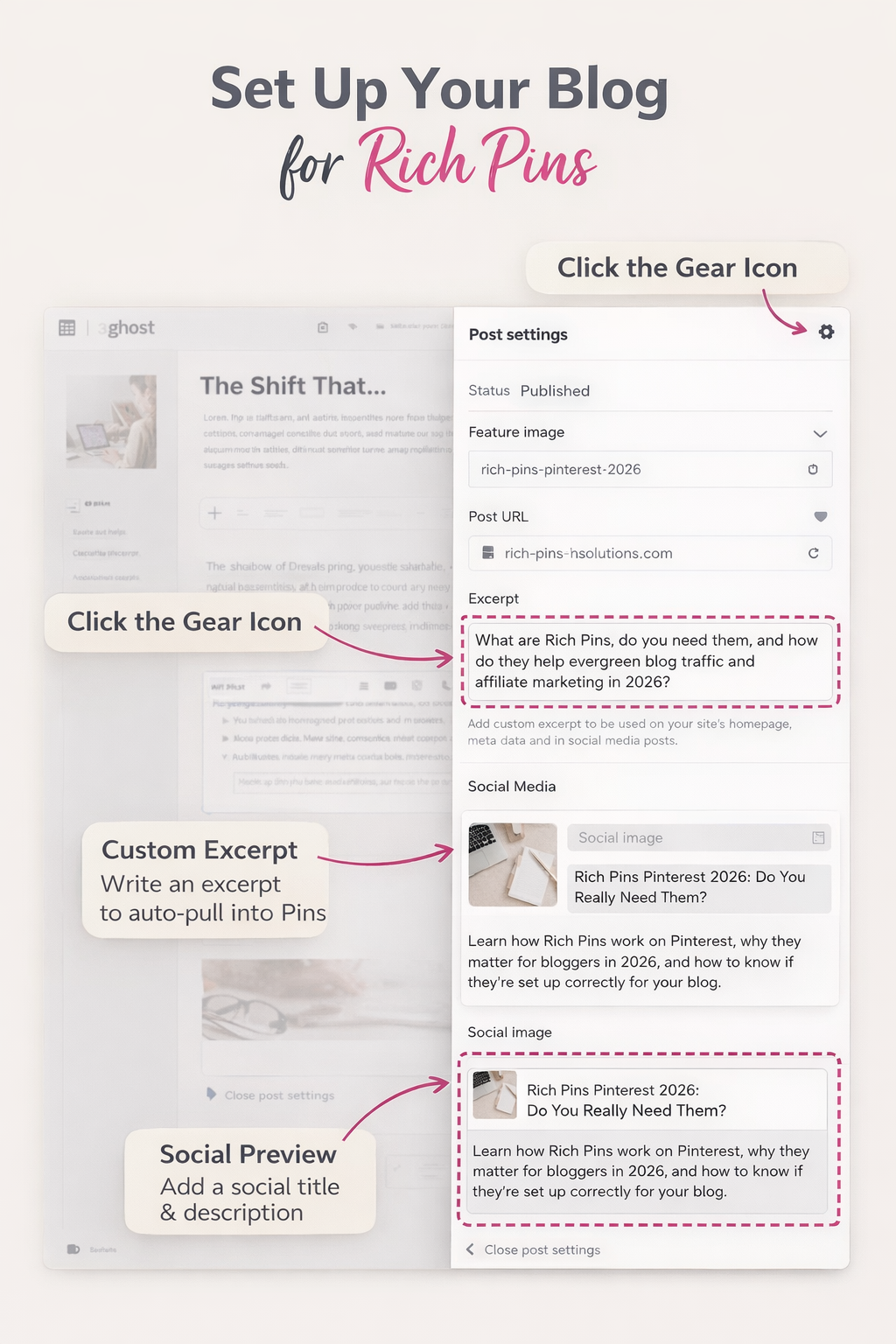
Leaving the Post Excerpt Blank
Pinterest often pulls descriptions from your article excerpt or opening paragraph. When this field is empty, the pin may display random text that doesn’t clearly explain your content which can reduce clicks over time.
Treating Rich Pins Like a Growth Hack
Rich Pins don’t increase traffic on their own. They work best as part of a bigger strategy that includes strong titles, internal links, and evergreen blog content designed for search.
If your pins already show your website name, article title, and description, chances are your Rich Pins are functioning exactly as intended.
Final Thoughts: Strategy Over Shiny Features
Rich Pins are helpful but they’re not the main strategy.
Your real growth comes from:
- Consistent content
- Clear SEO structure
- Strategic internal links
- Evergreen topics that serve your reader
Pinterest isn’t about chasing hacks.
It’s about building a digital ecosystem that keeps working long after you publish.
And when you focus on that bigger picture… everything compounds.
Do Rich Pins increase Pinterest traffic or impressions?
Rich Pins don’t directly boost impressions on their own. Pinterest still ranks pins based on keywords, relevance, and engagement signals. What Rich Pins do well is improve credibility and clarity, which can lead to better click-through rates over time. Think of them as strong technical support for a long-term Pinterest strategy rather than a quick growth hack.
Are Rich Pins necessary for affiliate marketing on Pinterest?
If you’re sending traffic to a blog or website that contains affiliate links, Rich Pins can help reinforce your authority as a content creator. However, they are not required to earn affiliate income. Strong SEO titles, evergreen content, and strategic pin design will always matter more than the Rich Pin feature itself.
What is the difference between Article Rich Pins and Product Rich Pins?
Article Rich Pins are designed for bloggers and creators who publish educational or informational content. They pull your headline and description directly from your website. Product Rich Pins, on the other hand, are primarily for ecommerce stores that manage their own inventory and pricing data. Most content-based creators will only need Article Rich Pins.
Do Rich Pins work automatically with blogging platforms like Ghost?
In many cases, yes. Platforms like Ghost often include the structured metadata Pinterest needs to generate Rich Pins. If your pins already show your website name and article title consistently, there’s a good chance Rich Pins are already functioning without additional setup.
Will Rich Pins help increase blog RPM or ad revenue?
Rich Pins themselves don’t raise RPM directly, but they support the kind of high-quality traffic that does. Because they provide more context to Pinterest, they can attract readers who are intentionally searching for information. That usually leads to longer page visits, more internal clicks, and better ad performance over time.
Do you need Rich Pins if you only post Idea Pins or social content?
No. Rich Pins are most beneficial for creators who publish blog articles or evergreen website content. If your strategy focuses only on Idea Pins or platform-native content, Rich Pins won’t add much value to your workflow.
Source: help.pinterest.com
I’m Kim Ward a digital marketing strategist helping family-focused entrepreneurs build calm, sustainable online income using Pinterest, blogging, and affiliate marketing.

Some of the links in this article are affiliate links. That means if you choose to purchase through my link, I may earn a small commission at no extra cost to you. I only share products and programs I personally use, love, or believe will genuinely help your family thrive. 💕